
What Is Digital Marketing? A Complete Beginner Guide
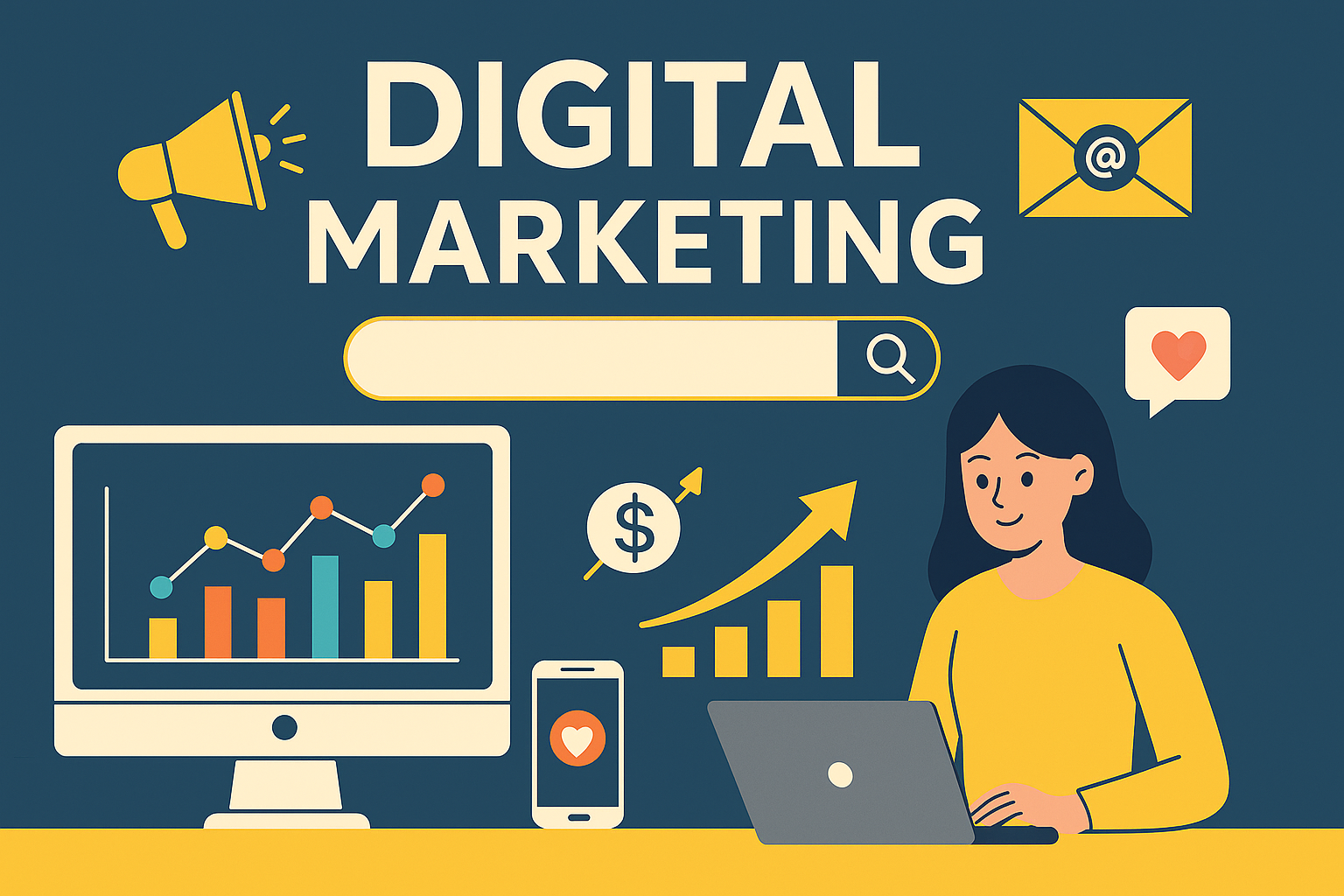
In today’s world, almost every business needs an online presence. Chaahe aap ek small shop ho, startup ho, ya service provider — customers aapko pehle Google, Instagram, YouTube, Facebook ya website par hi search karte hain.Isi wajah se Digital Marketing ek essential skill ban chuki hai. Is blog me aap step-by-step samjhoge ki digital marketing kya hoti hai, kaise kaam karti hai, aur 2025 me businesses isse kaise grow karte hain. 1. Digital Marketing Kya Hai? Simple words me:Digital Marketing wo process hai jisme hum internet ke through apne products aur services ko promote karte hain. Isme websites, social media, search engines, email, ads, aur online content ka use hota hai. Traditional marketing print ads, hoardings aur TV par hoti hai,jabki digital marketing online hoti hai — jisse results track karna, audience ko target karna aur budget control karna mushkil nahi rehta. 2. Digital Marketing Kaise Kaam Karta Hai? Digital marketing ka main goal hota hai: Aap content publish karte ho, users ise dekhte hain, engage karte hain aur phir eventually customer ban jaate hain. 3. Digital Marketing Ke Major Types 1. Search Engine Optimization (SEO) SEO ka matlab apni website ko Google me rank karwana.Isme do cheezein aati hain: Agar SEO strong hai to aap free organic traffic la sakte ho. 2. Social Media Marketing (SMM) Instagram, Facebook, YouTube, LinkedIn par content create karke online audience build karna. SMM se: 3. Content Marketing Content marketing ka matlab valuable content create karna: Ye audience ko educate karta hai aur trust banata hai. 4. Google Ads / Paid Ads Paid ads ka use karke: Instantly generate kiye ja sakte hain.Ye results fast dete hain par budget required hota hai. 5. Email Marketing Customers ka email collect karke unhe newsletters, offers, updates bhejna.Email marketing sabse high ROI deti hai. 4. Digital Marketing Kyun Zaroori Hai? 2025 me digital marketing har business ke liye important hai: Digital marketing ke bina kisi bhi business ka grow karna mushkil ho gaya hai. 5. Digital Marketing Kaise Shuru Karein? (Beginner Steps) Step 1: Apna Business Goal Decide Karein Aapko leads chahiye, sales, website traffic ya followers? Step 2: Ek Professional Website Banayein Website aapka online office jaisa hota hai. Step 3: SEO Basics Seekhein Keywords, meta tags, headings — basic on-page knowledge zaroori hai. Step 4: Social Media Presence Banayein Regular content posting se brand trust build hota hai. Step 5: High Quality Content Publish Karte Raho Content hi digital world ka king hai. Step 6: Google Analytics Se Results Track Karein Kaun dekh raha hai, kahan se aa raha hai, kis page par time spend kar raha hai — sab track hota rahega. 6. Digital Marketing Ka Future (2025 & Beyond) Isliye business ko regular upgrades karte rehna zaroori hai. Digital marketing ek powerful tool hai jisse koi bhi business online grow kar sakta hai.Agar aap right strategy, quality content, SEO, aur social media ka combination use karte hain — to results guaranteed hote hain. Aap chaahe freelancer ho, business owner ho ya beginner —digital marketing seekhna aaj ki sabse profitable skill hai.
🔍 What is SEO and How Does It Work (Beginner’s Guide 2025)
If you have a website but it’s not getting traffic, you need SEO — the secret behind why some sites appear on the first page of Google while others stay hidden. Let’s understand in simple terms what SEO means, how it works, and why it’s essential for every business in 2025. 🚀 💡 What is SEO? SEO (Search Engine Optimization) is the process of improving your website so that it appears higher in search engine results like Google, Bing, or Yahoo. When someone searches for something like “best digital marketing agency” or “affordable website design,”SEO helps your website appear on top results — without paying for ads. 📘 In short: SEO = Get free, organic traffic from Google. ⚙️ How Does SEO Work? SEO works by helping Google understand your website better.When your website is well-optimized, Google knows it’s useful for users — so it ranks you higher. There are mainly three parts of SEO 👇 1️⃣ On-Page SEO This includes everything you do inside your website to improve rankings. ✅ Important things: 2️⃣ Off-Page SEO This is about what happens outside your website — mainly backlinks and reputation. ✅ Important things: 3️⃣ Technical SEO This ensures your website is technically smooth for Google to crawl and index. ✅ Important things: 🔍 Why SEO is Important for Every Business In 2025, 90% of people check Google before buying anything.If your website isn’t ranking, you’re losing potential customers every day. 🚀 SEO Helps You: 🧭 How Long Does SEO Take to Work? SEO is not an instant process — it’s a long-term game.Usually, you start seeing results in 3–6 months, depending on: ⚡ Best Free Tools for SEO Beginners 🏁 Final Thoughts SEO is not magic — it’s strategy, consistency, and patience.Once your website starts ranking, it keeps bringing free traffic, leads, and revenue every month. So if you haven’t started SEO yet, start today — because every day counts in Google’s world 🌍. 📞 Need Help With SEO? Want your website to rank higher on Google?💻 Contact us at +91 8882449442 or visit 🌐 createyourprowebsite.comWe’ll help you optimize your website and grow your business online 🚀 SEO #DigitalMarketing #WebsiteTips #GoogleRanking #SearchEngineOptimization #OnlineBusiness #CreateYourProWebsite #SEO2025
🏢 10 Must-Have Pages for Every Business Website (2025 Edition)

Your website is the digital face of your business.Whether you’re a startup, freelancer, or growing brand — having the right pages on your site builds trust, SEO ranking, and conversions. In this post, let’s explore the 10 essential pages every business website must have in 2025 👇 1️⃣ Home Page Your home page is your first impression.It should clearly explain who you are, what you offer, and why visitors should trust you. ✅ Include: 2️⃣ About Us Page People connect with stories — not just services.Use your About page to share your journey, mission, and team. ✅ Include: 3️⃣ Services Page This is where you convert visitors into clients.List all your services with clear descriptions, pricing (if possible), and benefits. ✅ Include: 4️⃣ Portfolio / Projects Page Show what you’ve done — it builds instant credibility. ✅ Include: 5️⃣ Contact Page Your contact page should make it super easy for people to reach you. ✅ Include: 6️⃣ Blog Page A blog helps you get organic traffic from Google.Use it to share tech news, website tips, SEO tricks, and tools. ✅ Include: 7️⃣ Privacy Policy Page Every website collecting user info must have this.It builds trust and keeps you legally compliant (especially if using Google Ads or Analytics). ✅ Include: 8️⃣ Terms & Conditions Page It defines your business rules — what users can and can’t do. ✅ Include: 9️⃣ FAQ Page Frequently Asked Questions save time for both you and your visitors.This page also helps with voice search SEO (“People Also Ask” results). ✅ Include: 🔟 Testimonials / Reviews Page Social proof increases conversions by 50% or more.Add client feedback, ratings, or video testimonials. ✅ Include: 🏁 Bonus Tip: Add a Call-to-Action on Every Page Every page should lead users somewhere —👉 Contact, Buy, Subscribe, or Learn More. That’s how you turn a visitor into a customer. ✨ Final Thoughts A great website isn’t just about design — it’s about structure and clarity.These 10 must-have pages create trust, improve SEO, and guide your visitors to take action. 📞 Need Help? Want a professional business website with all the essential pages and SEO setup?💻 Contact us at +91 8882449442 or visit 🌐 CreateYourProWebsite.com —We’ll build your complete business website in just a few days! WebsiteTips #BusinessWebsite #WebDesign #SEOTips #DigitalMarketing #CreateYourProWebsite #WebsiteDevelopment #Entrepreneur Also Read: Hidden Windows 11 Speed Booster Trickshttps://createyourprowebsite.com/hidden-windows-11-settings-to-improve-speed-productivity-2025-guide/
📱 How to Make Your Website Mobile-Friendly in 2025 (Step-by-Step Guide)
Today, more than 70% of all web traffic comes from mobile devices 📊.If your website isn’t mobile-friendly, you’re losing traffic, leads, and even your Google ranking! In this post, we’ll explain what a mobile-friendly website means, why it matters for SEO, and how to make your site mobile optimized in 2025 🚀. 💡 What Does “Mobile-Friendly” Mean? A mobile-friendly website automatically adjusts its layout, text, and images to fit any screen — whether it’s a smartphone, tablet, or desktop. It should: 🚀 Why Mobile-Friendly Design is Important 🛠️ How to Make Your Website Mobile-Friendly (Step-by-Step) 1️⃣ Use a Responsive Design Make sure your theme or template automatically adapts to all screen sizes.👉 If you’re on WordPress, use Astra, GeneratePress, or WP Travel Monster — all are responsive. Pro Tip: Test your site on Google’s Mobile-Friendly Test Tool 2️⃣ Optimize Images and Media Large images slow down mobile pages.✅ Compress all images using tools like TinyPNG or ShortPixel.✅ Use WebP format for faster loading.✅ Enable lazy loading so images appear as users scroll. 3️⃣ Improve Website Speed A fast website = better SEO ranking.✅ Use caching plugins like LiteSpeed Cache or WP Rocket.✅ Enable CDN (Cloudflare or Bunny.net).✅ Minify CSS and JS files. 📈 Ideal load time: Under 3 seconds 4️⃣ Simplify Navigation Mobile users browse with their thumbs — keep menus short and clear.✅ Add a sticky menu or hamburger icon.✅ Use clear CTAs (Call-to-Action) like “Contact Us”, “Buy Now”, etc. 5️⃣ Avoid Pop-ups and Heavy Ads Pop-ups that cover the screen frustrate mobile users and lower rankings.✅ If needed, use small top or bottom banners instead. 6️⃣ Use Readable Font Sizes Small text = bad experience.✅ Keep font size 16px or more.✅ Maintain enough line spacing and contrast. 7️⃣ Test on Multiple Devices Always test your website on: You can use tools like BrowserStack or Responsinator for live previews. 📊 Bonus: Check Your Mobile SEO Score Use free tools like: They’ll tell you if your mobile site needs improvement. 🏁 Final Thoughts In 2025, mobile optimization is not optional — it’s essential.A mobile-friendly website improves your SEO, user experience, and sales. So if your website isn’t optimized yet — start today!It’s one of the best long-term investments for your online business 🌐. WebsiteTips #MobileFriendly #SEO #DigitalMarketing #ResponsiveDesign #WebsiteOptimization #TechBlog #SEO2025
🚨 Common Website Mistakes That Hurt SEO (And How to Fix Them in 2025)

If your website isn’t ranking on Google even after doing SEO, you might be making some common mistakes. These small errors can seriously hurt your Google ranking, traffic, and conversion rate. Let’s look at the top SEO mistakes you must avoid in 2025! ⚠️ 1. Ignoring Mobile Optimization In 2025, Google’s mobile-first indexing means your mobile version matters more than desktop.If your site doesn’t load well on smartphones, you’ll lose rankings instantly. ✅ Fix: 📈 Keyword Tip:“mobile-friendly website SEO”, “how to make my site mobile optimized” 🕒 2. Slow Website Speed A slow site = low ranking.Visitors won’t wait more than 3 seconds for your page to load.Google also considers Core Web Vitals as a ranking factor. ✅ Fix: 📈 Keyword Tip:“how to increase website speed”, “page speed optimization”, “Core Web Vitals SEO” 🧭 3. Poor Navigation and Broken Links If visitors can’t find what they’re looking for, they’ll leave — and that increases your bounce rate, which affects ranking. ✅ Fix: 📈 Keyword Tip:“fix broken links SEO”, “website navigation best practices”, “reduce bounce rate” 📝 4. Thin or Duplicate Content Google hates copy-paste or low-quality content.If your pages have less than 300 words or similar content, they won’t rank. ✅ Fix: 📈 Keyword Tip:“SEO content writing tips”, “how to write SEO friendly content”, “duplicate content penalty” 🔗 5. Missing Internal & External Links Not linking to other relevant pages makes your site weak in Google’s eyes. ✅ Fix: 📈 Keyword Tip:“internal linking strategy”, “backlink SEO”, “anchor text optimization” 🧱 6. No Proper Meta Tags or Alt Text Your meta title, description, and image alt tags help Google understand your page.Without them, you’re missing out on ranking opportunities. ✅ Fix: 📈 Keyword Tip:“meta tags for SEO”, “image alt text SEO”, “title description optimization” 🧩 7. Not Updating Content Regularly SEO is not a one-time thing.Outdated content tells Google your website is inactive. ✅ Fix: 📈 Keyword Tip:“update old blog posts SEO”, “how often to update website content”, “fresh content ranking factor” 🚀 Final Thoughts Avoiding these common website SEO mistakes can help your site rank faster, gain more traffic, and improve user experience.Remember: Good SEO = Quality + Speed + Consistency. 🔍 Keep auditing your site every month using free tools like: SEO #WebsiteTips #DigitalMarketing #GoogleRanking #SEOTips #TechBlog SEO #WebsiteTips #DigitalMarketing #WebsiteMistakes #SEO2025